
Hollywood Level Planar Tracking in Filmora
Discover how Mocha planar tracking technology transforms Wondershare Filmora into a powerful AI video editor. Achieve Hollywood-level motion tracking with ease, attaching graphics or blurring faces and more.
FILMORA
8 min read
Hollywood Level Motion Tracking in Filmora
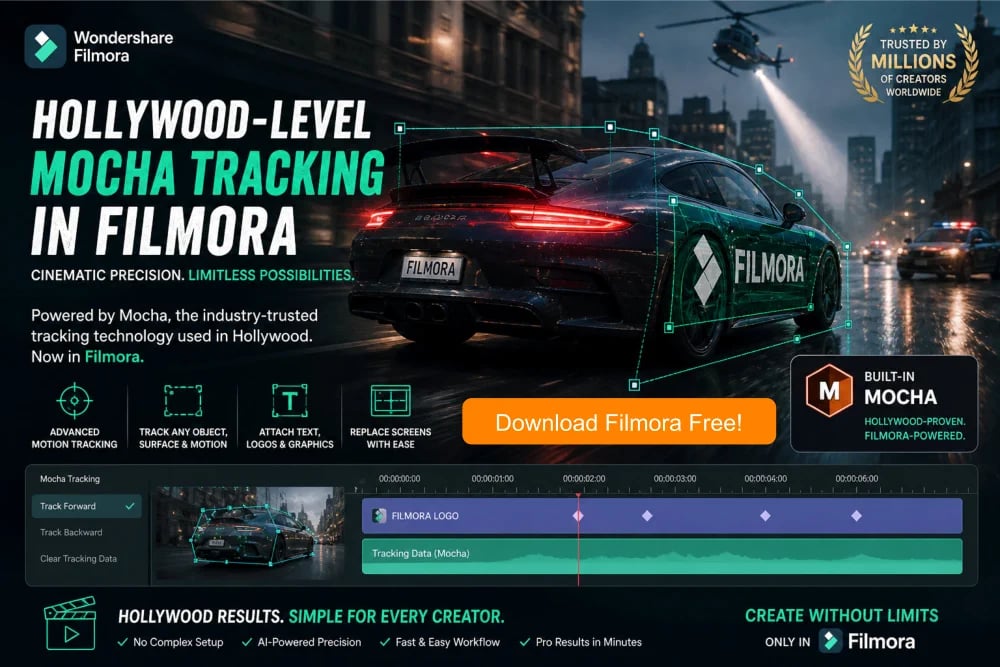
Mocha, the industry-trusted planar tracking technology used in Hollywood productions, brings precision motion tracking into Wondershare Filmora AI Video Editor. With Mocha Tracking in Filmora, the AI-powered tool, you can effortlessly track objects, attach graphics, blur faces, or replace screens with Cinematic accuracy. Select a surface, let the AI analyze movement, and apply effects that stick perfectly to motion. No complex setup needed. Just professional, studio-quality results in minutes, making Filmora the ultimate choice for creators seeking Hollywood-level visual impact.

Mocha Planar Tracking in Wondershare Filmora
If you’ve ever watched a Hollywood movie and wondered how text sticks perfectly to moving objects or how screens are replaced so seamlessly, the answer often lies in Mocha motion tracking technology. Now, that same professional-level capability is available inside Wondershare Filmora, designed for both beginners and professionals alike, who want stunning results without complex workflows. Imagine filming your friend holding a phone while walking down a busy street. With Filmora’s Mocha-powered motion tracking, you can replace that phone screen with a custom video that moves naturally with every step. This isn’t just editing; it is storytelling elevated to cinematic precision. Even if you’ve never edited before, Filmora simplifies what used to take hours in advanced software. The beauty of Filmora is in its intuitive interface combined with powerful planar tracking intelligence, giving you confidence to create professional-quality videos right from your first project without feeling overwhelmed.
What is Planar Tracking and Why It Matters
Planar tracking might sound technical, but it’s actually very easy to understand when you see it in action. Instead of tracking a single point, it tracks an entire flat surface, like a wall, a signboard, or a laptop screen. In Filmora, this means you can select a surface and let Mocha analyze its movement frame by frame. For example, imagine recording a moving car with a billboard on its side. Using planar tracking, you can attach a logo or advertisement to that billboard, and it will stay perfectly aligned even as the car turns or speeds up. This is far more stable than traditional point motion tracking. Filmora brings this advanced planar tracking capability into a beginner-friendly environment, allowing you to achieve effects that look like they were created in high-budget studios. The result is smooth, believable motion that instantly makes your videos look more polished and professional without requiring technical expertise.
Understanding Mesh Tracking for Complex Motion
While planar tracking works beautifully on flat surfaces, real-world objects are often more complex. That’s where mesh tracking in Filmora comes in. Mesh tracking allows Filmora to follow irregular shapes and surfaces that bend, twist, or move unpredictably. Think about motion tracking a person’s shirt as they walk or a flag waving in the wind. With mesh tracking, you can apply effects that adapt to those movements naturally. For example, if you want to add a glowing design onto a dancer’s outfit, mesh tracking ensures the design flows with every movement instead of looking stuck or artificial. Wondershare Filmora integrates this capability seamlessly, so even beginners can experiment with advanced visual effects. The software intelligently maps the surface and adjusts the effect in real time, creating a dynamic and realistic look. This opens up creative possibilities in motion tracking that were once limited to professional VFX artists, making your edits stand out instantly.
Filmora Simplifies Hollywood-Level Planar Tracking
One of the biggest challenges with professional tracking tools has always been complexity. Traditionally, Mocha motion tracking required detailed adjustments, masking, and manual corrections. Wondershare Filmora removes these barriers by streamlining the entire process into a few simple steps. You select your clip, choose the tracking feature, outline the area, and let the software do the heavy lifting. For instance, imagine you filmed a skateboarder performing tricks in a park. You can track the skateboard and attach animated graphics that move perfectly with it. Filmora’s AI-enhanced planar tracking ensures accuracy while keeping the workflow fast and beginner-friendly. This balance between power and simplicity is what makes Filmora unique. You don’t need to understand the technical details behind planar tracking or the mesh tracking algorithms; the software handles it for you. This means you can focus entirely on creativity, turning ordinary footage into visually captivating content in just minutes.
Real-World Example: Screen Replacement Made Easy
One of the most popular uses of Mocha motion tracking in Filmora is screen replacement. This technique is widely used in films, advertisements, and YouTube videos. Imagine you recorded a scene where someone is using a laptop, but the screen looks dull or uninteresting. With Filmora, you can replace that screen with a vibrant presentation, a website, or even a video. The planar tracking ensures the new content sticks perfectly to the screen, matching its angle and movement. For example, a content creator filming a tech review can replace a blank phone screen with app demonstrations, making the video more engaging. The process of planar tracking is incredibly simple in Filmora. Just planar track the screen, insert your media, and adjust perspective if needed. The result looks natural and professional, as if it were captured that way during filming. The planar tracking feature alone can dramatically improve the quality and impact of your videos.
Adding Graphics That Follow Motion Tracking Naturally
Another exciting capability of Mocha Planar tracking in Filmora is attaching graphics to moving objects. This can transform simple footage into something visually dynamic. For instance, imagine filming a cyclist riding through a city. Using planar tracking, you can attach speed indicators, arrows, or even animated text that follows the bike’s movement. This technique is often used in sports videos and documentaries to highlight key actions. Wondershare Filmora makes it incredibly easy to achieve this effect without requiring advanced skills. You simply track the object and add your graphic element, and the software ensures it stays locked in place. This creates a sense of realism and enhances storytelling. Even beginners can experiment with creative overlays that respond to motion, making their videos more engaging and informative. Planar Tracking is a powerful way to turn everyday footage into something that captures attention instantly.
Face and Object Blur with Precision Motion Tracking
Privacy and focus are important in video editing, and Mocha tracking in Filmora makes it effortless to blur faces or objects while they move. Imagine recording a busy street scene where you want to protect someone’s identity. Instead of manually adjusting the blur frame by frame, Wondershare Filmora planar tracking feature tracks the face automatically and applies the blur consistently. This saves time and ensures accuracy. Another example is blurring a brand logo in a video to avoid copyright issues. With mesh or planar tracking, the blur follows the object smoothly, even if it rotates or changes perspective. This feature is particularly useful for vloggers, journalists, and content creators who need to maintain privacy or compliance. Filmora’s intuitive planar tracking controls make it easy to adjust the intensity and size of the blur, giving you complete control over the final result without any technical complexity.
Creative Effects Using Mesh Motion Tracking
Mesh motion tracking opens the door to highly creative effects that go beyond simple overlays. For example, imagine adding a glowing tattoo effect to a character’s arm in a short film. As the arm moves and bends, the effect adapts naturally, creating a realistic look. Filmora allows you to experiment with such ideas effortlessly. Another example is adding animated textures to clothing, like turning a plain shirt into a dynamic digital display. These effects can make your videos stand out and give them a unique style. The best part is that Filmora handles the complex calculations behind the scenes, so you can focus on creativity. Whether you are making a music video, a social media clip, or a short film, mesh motion tracking gives you the tools to push your imagination further. It’s a feature that truly brings professional-level visual effects within reach of beginners.
Pro Tips for Better Planar Tracking Results
To get the best results from Mocha planar tracking in Filmora, a few simple tips can make a big difference. First, choose areas with clear textures and contrast, as they are easier for the software to track accurately. For example, planar tracking a patterned wall works better than a plain white surface. Second, avoid sudden camera shakes whenever possible, as stable footage improves planar tracking quality. If you’re filming a moving object, try to keep it in frame consistently. Another tip is to refine your selection area carefully; remember not to include unnecessary elements that might confuse the planar tracking. For instance, when tracking a car door, focus only on the door and not the surrounding background. Filmora also allows you to adjust planar tracking settings if needed, giving you more control. These small steps can significantly enhance the final result, ensuring your effects look smooth and professional.
Speed and Efficiency of Planar Tracking for Creators
One of the advantages of using Mocha motion tracking in Wondershare Filmora is the speed at which you can achieve results. What once required hours of manual work can now be done in minutes. This is especially valuable for content creators who need to produce videos regularly. For example, a YouTuber creating weekly tutorials can quickly add motion graphics that follow their actions, enhancing viewer engagement without spending excessive time editing. Wondershare Filmora has an optimized planar tracking performance that ensures that motion tracking processes run smoothly, even on standard computers. This means you don’t need expensive hardware to create high-quality videos. The combination of efficiency and ease of use makes Filmora an ideal choice for beginners and professionals alike. It allows you to focus on your creative vision while the software handles the technical aspects of planar tracking, making video editing faster, easier, and more enjoyable.
Why Filmora is the Perfect Choice for Beginners
For anyone new to video editing, the idea of using Hollywood-level tools can be intimidating. However, Wondershare Filmora bridges the gap between professional capabilities and beginner-friendly design. Its Mocha-powered motion tracking features are integrated seamlessly into a simple interface, making them accessible to everyone. For example, a student working on a school project can use tracking to add engaging visuals without needing prior experience. Filmora provides guided workflows, helpful previews, and easy controls, ensuring you always feel in control. This approach empowers users to experiment with planar tracking and learn while achieving impressive results. Unlike complex software that requires extensive training, Filmora planar tracking focuses on simplicity without compromising on quality. It’s a tool that grows with you, allowing you to start with basic edits and gradually explore advanced features like mesh tracking and planar tracking. This makes it a smart investment for anyone looking to create stunning videos effortlessly.
Transforming Your Videos with Cinematic Precision
At its core, Mocha motion tracking in Wondershare Filmora is about transforming ordinary footage into something extraordinary. Whether you’re adding effects, replacing screens, or enhancing motion, the results feel polished and professional. Imagine turning a simple travel video into a cinematic experience by adding tracked titles that follow landmarks or objects using planar tracking. These small details can make a big difference in how your audience perceives your content. Filmora gives you the tools to achieve this level of precision without requiring advanced skills. The software’s intelligent planar tracking feature ensures that every effect integrates seamlessly with your footage. This not only improves visual quality but also enhances storytelling. By using motion tracking, you can create videos that capture attention, convey your message effectively, and leave a lasting impression on your viewers.
Final Verdict: Unlock Your Creative Potential
Mocha planar tracking and mesh tracking in Wondershare Filmora represent a perfect blend of power and simplicity. They bring Hollywood-level technology into a platform that anyone can use, regardless of experience. With motion tracking features like accurate surface tracking, dynamic mesh adaptation, and easy-to-use motion tracking controls, Filmora empowers you to create videos that look professional and engaging. Real-world applications, from screen replacements to creative effects, show just how versatile these tools are. Combined with practical tips and an intuitive workflow, Filmora makes advanced video editing accessible to everyone. If you’ve ever wanted to elevate your content and explore new creative possibilities, this is your opportunity. Filmora doesn’t just help you edit videos; it helps you tell stories with impact, precision, and style, making it the ultimate choice for modern creators.