
Create 3D Intro in Filmora

Watch Filmora Video Editor in Action Below
Create a 3D Intro Video Like Netflix with Wondershare Filmora
Turn Your Videos into 3D Cinematic Experiences That Capture Attention from the Very First Second
Your audience decides whether to keep watching your video within moments. Before they hear your message, explore your content, or discover your brand, they see your opening. A powerful intro can instantly create anticipation, establish your identity, and make your video feel more professional. A weak intro can make even great content feel ordinary.
That is why professional video creators, YouTubers, marketers, businesses, educators, influencers, and filmmakers invest so much effort into creating visually impressive introductions.
Now imagine opening your next video with massive 3D letters emerging from darkness. Dramatic lighting sweeps across the screen. Metallic surfaces reflect glowing highlights. Cinematic sound builds anticipation. The camera moves through a powerful 3D environment before revealing your logo, channel name, or message.
The result? An intro that feels cinematic. An intro that looks expensive. An intro that makes people want to keep watching. And you can create this type of impressive 3D introduction using Wondershare Filmora.
You do not need a Hollywood studio. You do not need to spend thousands of dollars on expensive equipment. You do not need years of professional video editing experience.
With Filmora, you can combine powerful video editing tools, titles, effects, transitions, animation, audio, motion graphics, and creative visual elements to build an attention-grabbing 3D intro for your YouTube channel, business, brand, course, podcast, social media content, or personal project.
Create a 3D Intro That Looks Bigger Than Your Budget
A professional introduction is more than a few seconds of text appearing on the screen. It is a visual experience.
Think about the most memorable cinematic introductions. They create curiosity. They establish a mood. They make the viewer feel that something important is about to happen.
That is the power of a well-designed 3D intro.
With Filmora, you can create a 3D introduction featuring:
Dramatic 3D text
Cinematic lighting
Glowing effects
Animated logos
Powerful transitions
Dynamic camera-style movement
Particle effects
Explosions of light
Metallic and futuristic visuals
Sound effects
Background music
Animated titles
Professional color adjustments
Layered video compositions
You can start with a simple idea and transform it into a polished visual opening that gives your videos a recognizable identity.
Imagine Your Logo Emerging Like a Movie Title
Imagine your video beginning in complete darkness.
A soft glow appears.
A beam of light moves across the screen.
A large 3D-style title slowly emerges from the shadows.
The letters rotate, move forward, or dramatically reveal themselves.
Particles float through the scene.
The background pulses with energy.
A powerful sound effect hits at precisely the right moment.
Then your logo or channel name appears.
This is the kind of opening that makes viewers think:
“This looks professional.”
And when viewers perceive your content as professional, they are more likely to trust your brand, remember your identity, and continue watching.
That is one of the biggest advantages of creating a powerful video intro using Filmora.
Why Your Video Intro Matters So Much
Your introduction is often the first impression your audience receives.
It can determine whether your video feels:
Professional or amateur
Premium or ordinary
Exciting or forgettable
Modern or outdated
Branded or generic
A great intro can instantly communicate the personality of your content.
A technology channel may use futuristic 3D graphics.
A gaming channel may use explosive animation and dramatic lighting.
A business may use elegant animated branding.
A filmmaker may use cinematic typography.
A YouTube creator may use energetic colors, motion, music, and visual effects.
Filmora gives you the creative flexibility to build the style that matches your identity.
Filmora: Create Your Own 3D Intro like a Netflix Documentary
When people think of cinematic introductions, they often imagine large-scale entertainment brands with dramatic visual identities.
The secret behind these memorable openings is not simply the logo or the text.
It is the combination of:
Typography + Motion + Lighting + Sound + Timing + Atmosphere
Filmora allows you to combine these elements into one powerful visual experience.
You can create large, bold titles that appear to have depth.
You can animate them so they move dynamically across the screen.
You can add lighting effects that create highlights and shadows.
You can use transitions to reveal the title dramatically.
You can layer multiple effects to create atmosphere.
You can synchronize your visuals with music and sound effects.
You can then export the completed video and use it across your digital platforms.
The result is a professional-looking opening sequence that can make your videos immediately more memorable.
Filmora Uses No Complicated 3D Software
Traditional 3D animation software can be extremely powerful. But it can also be complicated.
Many advanced 3D applications require users to learn:
Complex 3D modeling
Camera systems
Lighting systems
Materials
Textures
Keyframes
Rendering
Compositing
Specialized animation workflows
For someone who simply wants to create an impressive intro, this can become overwhelming.
Filmora offers a much more approachable way to create visually impressive video introductions.
You can work within a familiar video editing environment.
You can place your media on the timeline.
You can add titles, effects, animations, overlays, music, and sound effects.
You can adjust your content visually.
You can preview your changes immediately.
Instead of spending weeks learning complicated professional software, you can focus on creating.
That is one of the biggest reasons Filmora is so attractive to beginners and experienced creators alike.
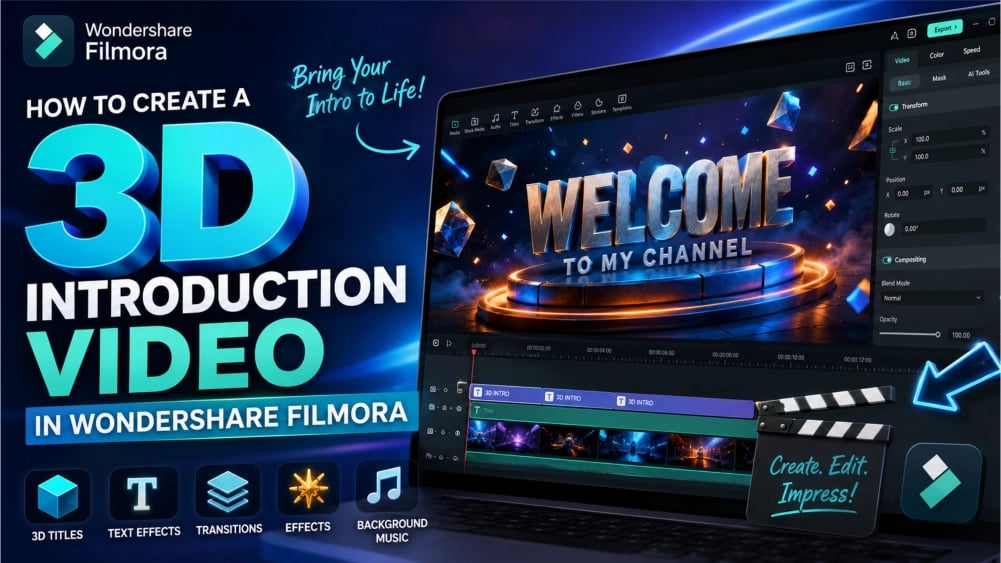
Build Your 3D Intro Step by Step
Step 1: Start with Your Creative Idea
Before opening Filmora, decide what you want your intro to communicate.
Ask yourself:
What is the name of my channel or brand?
What mood should the intro create?
Should it feel cinematic, futuristic, energetic, elegant, or dramatic?
What colors represent my brand?
What type of music fits the atmosphere?
How long should the intro be?
A good introduction does not need to be long.
In many cases, a short and powerful intro can be more effective than a long one.
The goal is to capture attention without delaying the main content.
Filmora Video Editor gives you the tools to create an intro that can be short, memorable, and visually impressive.
Step 2: Create a New Project
Launch Filmora and create a new project.
The project becomes your creative workspace.
Here, you can bring together:
Background videos
Images
Logo files
Text
Music
Sound effects
Visual effects
Animated elements
The Filmora timeline makes it easy to arrange your creative elements in the exact order you want them to appear.
You can place one layer above another and build a complex visual composition.
For example:
Layer 1: Background
Layer 2: Light effects
Layer 3: Particles
Layer 4: Animated title
Layer 5: Logo
Layer 6: Additional visual effects
Layer 7: Sound effects
This layered approach helps you create sophisticated-looking sequences without needing a complicated workflow.
Step 3: Choose a Powerful Background
The background establishes the atmosphere of your intro.
You could use:
A dark cinematic background
A futuristic digital environment
A glowing abstract background
A city at night
A space-inspired scene
A dramatic studio environment
A custom image
A video clip
An AI-generated visual
A dark background is particularly effective for 3D-style introductions because it allows bright text and lighting effects to stand out.
You can then add visual elements that gradually appear as the intro progresses.
This creates depth.
It creates atmosphere.
And it makes the final title reveal feel much more dramatic.
Step 4: Add Your Main Title
The title is the central element of your introduction.
This could be:
Your channel name
Your company name
Your product
Your podcast
Your website
Your personal brand
A movie title
A course name
Use bold typography that remains readable.
Large text creates visual impact.
Strong contrast helps your title remain visible.
The right font can make your intro feel:
Cinematic
Futuristic
Premium
Powerful
Elegant
Modern
Filmora provides creative title and text tools that allow you to design animated text elements for your videos.
You can customize the appearance of your text and create a title that fits the visual identity of your project.
Make Your Text Look Three-Dimensional
A flat title can look ordinary.
A 3D-style title immediately feels more dramatic.
You can create the illusion of depth using combinations of:
Shadows
Highlights
Glows
Bevel-like visual effects
Lighting
Perspective
Motion
Layering
Scale changes
When a title moves toward the viewer, it can appear larger and more powerful.
When light passes across the letters, the text can appear reflective.
When shadows are added behind the title, it can appear separated from the background.
These visual techniques can transform ordinary text into a cinematic title sequence.
Add Motion to Make Your Intro Come Alive
Static text is easy to ignore.
Motion captures attention.
That is why animation is so important in an effective video intro.
Your title could:
Zoom into the scene
Move from the background toward the viewer
Slide across the screen
Rotate
Fade in dramatically
Appear letter by letter
Reveal itself through light
Shake with a powerful impact
Scale up with music
Move with the rhythm of the soundtrack
Motion gives your title personality.
It transforms your introduction from a simple graphic into a visual event.
With Filmora, you can control how your elements appear and change over time, allowing you to create dynamic sequences that feel polished and professional.
Create Dramatic Lighting Effects
Lighting is one of the most powerful tools for creating a cinematic appearance.
A simple title can look ordinary.
Add a moving light across the surface of the text, and suddenly the same title can appear much more dramatic.
You can create visual energy using:
Light leaks
Lens flares
Glowing overlays
Flash effects
Neon lighting
Light rays
Energy bursts
Animated highlights
Lighting can guide the viewer's attention toward your title.
It can reveal your logo.
It can create anticipation.
It can also make the entire intro feel more expensive.
Add Cinematic Sound
Visuals are only half of the experience. Sound is equally important.
Imagine a 3D title appearing on screen with no sound.
Now imagine the same title appearing with:
A deep cinematic boom
A powerful whoosh
A rising sound
A metallic impact
A dramatic musical build
A bass hit
A futuristic electronic sound
The difference can be enormous.
A well-timed sound effect can make an animation feel more powerful.
Filmora makes it easy to combine music and sound effects with your visual elements.
You can place audio clips directly on the timeline.
You can trim them.
Move them.
Adjust their volume.
Add fades.
And synchronize them with important moments in your animation.
The perfect sound effect at the perfect moment can transform a simple title reveal into a memorable brand experience.
Make Your Intro Feel Like a Movie
A professional intro is not just a collection of random effects.
Everything should work together.
The background should support the title.
The lighting should guide the eye.
The animation should match the music.
The sound effects should enhance the movement.
The timing should create anticipation.
The final reveal should feel satisfying.
Filmora gives you the flexibility to bring these elements together inside one editing environment.
This means you can experiment quickly.
Try a different title animation.
Change the background.
Add another effect.
Adjust the timing.
Replace the music.
Move the logo.
Change the color.
Preview the result.
Then continue refining your idea using Filmora Video Editor.
Filmora Video Editor Benefits for Creating 3D Intros
1. Designed for Beginners
You do not need to be a professional editor to start creating.
Filmora is designed to make video editing more accessible.
The interface is designed around familiar editing concepts.
You can import your media, place it on the timeline, edit your content, add creative elements, and preview the results.
This makes it an excellent option for people who want professional-looking results without spending years learning complicated software.
2. Powerful Video Editor Tools Without an Overwhelming Workflow
Filmora offers a balance between ease of use and creative power.
You can begin with simple edits.
As your skills improve, you can explore more advanced creative tools.
This allows Filmora to grow with you.
A beginner can create a basic intro.
An experienced creator can build a more sophisticated composition using multiple layers, effects, animations, audio tracks, and visual elements.
3. Create More Than Just Intros with Filmora Video Editor
Filmora Video Editor is not limited to 3D-style introductions.
You can use it to create:
YouTube videos
Product demonstrations
Advertisements
Social media videos
Tutorials
Online courses
Corporate videos
Presentations
Travel videos
Vlogs
Gaming content
Podcasts
Promotional videos
Short films
One software application can become the central creative tool for your entire video production workflow.
4. Make Your Brand More Memorable
A consistent intro can help create brand recognition.
When viewers repeatedly see the same visual identity, they begin to associate it with your content.
Your logo.
Your colors.
Your typography.
Your sound.
Your animation style.
Together, these elements can become part of your brand.
A professional intro made with Filmora Video Editor can help make your content instantly recognizable.
5. Improve the Perceived Quality of Your Content
Presentation matters.
Even if your video content is excellent, poor presentation can reduce its impact.
A professional introduction creates a stronger first impression.
It tells your audience that you care about quality.
It establishes a visual standard.
And it can make the entire video feel more polished.
6. Save Time
Traditional production workflows can require multiple applications.
You might need one application for editing.
Another for motion graphics.
Another for audio.
Another for effects.
Another for exporting.
This can make your workflow complicated.
Filmora brings many essential creative tools together in one environment.
That means less switching between applications and more time spent creating.
7. Filmora Video Editor Creates Content Without Using Any Expensive Equipment
A great intro does not necessarily require:
A professional camera
A film studio
Expensive lighting
A large production crew
Specialized 3D equipment
Your creativity is often more important than the equipment you own.
With the right visual assets, editing techniques, animation, effects, and sound, you can create an impressive intro using your computer.
8. Experiment Freely with Filmora Video Editor
Creativity requires experimentation.
You may not know exactly what your final intro should look like when you begin.
That is perfectly normal.
You can experiment with:
Different backgrounds
Different titles
Different animations
Different music
Different effects
Different colors
Different transitions
You can create multiple versions and compare them.
The best version may be the result of several experiments.
Create a Cinematic Reveal
One of the most effective intro styles is the dramatic reveal.
Start with darkness.
Introduce a small amount of light.
Create movement.
Gradually reveal the title.
Increase the intensity.
Then reveal the logo or brand name.
This approach creates anticipation.
The viewer wants to know what is coming next.
A reveal can be especially effective when synchronized with music.
For example:
0:00–0:01: Dark background
0:01–0:02: Light begins to appear
0:02–0:03: Title starts moving into view
0:03–0:04: Visual effects intensify
0:04–0:05: Sound impact
0:05–0:06: Full logo reveal
0:06 onward: Transition into the main video
A short sequence can feel incredibly powerful when every element is carefully timed.
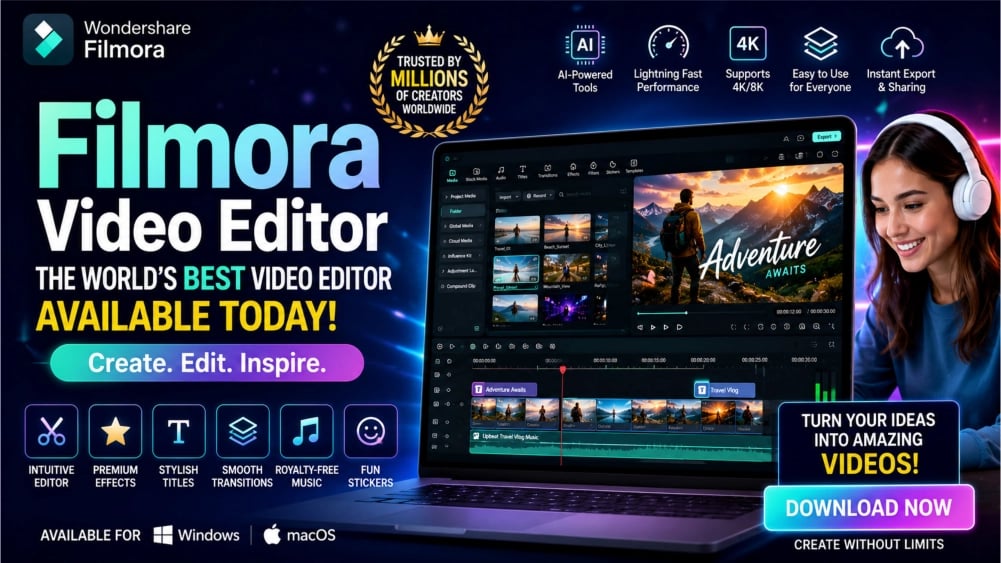
Use Filmora Video Editor to Create an Intro That Matches Your Personality
Your intro does not need to copy anyone else.
You can create a unique visual style.
For Technology Channels
Use:
Neon colors
Digital effects
Futuristic backgrounds
Electronic music
Glowing typography
For Gaming Channels
Use:
Fast movement
Explosive effects
Dramatic sound effects
Bold titles
High-energy music
For Business Brands
Use:
Elegant animation
Clean typography
Smooth transitions
Professional music
Minimal visual effects
For Cinematic Creators
Use:
Dark backgrounds
Dramatic lighting
Slow camera movement
Powerful music
Atmospheric effects
For Educational Creators
Use:
Clear titles
Smooth animations
Bright visuals
Simple transitions
Engaging sound
Filmora gives you the creative freedom to develop your own visual identity.
Make Your YouTube Channel Look More Professional with Filmora Video Editor
Competition on YouTube is intense.
Millions of videos compete for attention.
Your content needs to stand out.
A professional intro can help create a more polished channel identity.
Your intro can appear at the beginning of:
Every major video
Special announcements
Product reviews
Tutorials
Brand collaborations
Promotional videos
A consistent visual identity can make your channel feel more established.
It can make your videos look more professional.
And it can help your audience remember you.
Create Promotional Videos with Filmora Video Editor That Look Expensive
Businesses need attention.
Whether you are promoting a product, service, application, website, course, or brand, the opening moments of your promotional video matter.
A powerful 3D-style intro can immediately create a premium impression.
You can introduce:
A product name
A company logo
A service
A new feature
A campaign
A special offer
The right combination of animation, typography, music, and visual effects can turn a simple promotional video into something that feels much more sophisticated.
Make Your Videos More Engaging with Filmora Video Editor
The purpose of an intro is not simply to look beautiful.
It should support your content.
A strong intro can:
Capture attention
Establish identity
Create anticipation
Introduce a theme
Set the mood
Improve brand recognition
The best intros are short, memorable, and relevant.
Filmora makes it easier to create a visual opening that complements your content instead of distracting from it.
Your Creativity Is the Most Important Tool
You do not need to be a professional filmmaker.
You do not need to understand every technical concept before you begin.
You do not need to know advanced animation.
You simply need an idea.
Start with a title.
Choose a background.
Add movement.
Introduce light.
Add sound.
Experiment.
Refine.
And gradually transform your idea into a polished introduction.
Filmora helps make that creative process more accessible.
From Simple Text to Cinematic Branding
Consider the difference between these two openings.
Basic Opening
A plain title appears.
The text disappears.
The video begins.
Cinematic Opening
The screen begins in darkness.
A subtle sound starts.
Light moves across the scene.
A powerful title begins to emerge.
The text appears to have depth.
Particles float through the environment.
The music builds.
The title moves toward the viewer.
A dramatic impact sound plays.
Your logo is revealed.
The main video begins.
The second opening creates a much stronger experience.
That is the power of combining visual design, motion, sound, and timing.
Create Once. Use Everywhere.
Once you have created your 3D-style intro, you can use it across your content.
Use it on:
YouTube
Instagram
Facebook
TikTok
Websites
Online courses
Presentations
Advertisements
Business videos
You can create different versions for different platforms.
You can create a longer cinematic version.
You can create a shorter social media version.
You can create a logo-only version.
You can create a branded video opener.
Your intro becomes a reusable digital asset.
Upgrade Your Video Editing Experience with Filmora Video Editor
Filmora is built for creators who want to spend more time creating and less time fighting complicated software.
It helps you bring together:
Video Editing
Cut, trim, arrange, and refine your content.
Creative Titles
Create eye-catching text and animated title sequences.
Visual Effects
Add energy, atmosphere, and style to your videos.
Transitions
Move smoothly from one visual element to another.
Audio Editing
Combine music, sound effects, and dialogue.
Animation
Create movement and dynamic visual sequences.
AI-Powered Creativity
Use intelligent tools to accelerate parts of your creative workflow.
Export Options
Prepare your finished content for sharing and publishing.
The result is a creative workflow that can help you move from idea to finished video more efficiently.
Filmora Video Editor: Create Your Next Great Introduction Today
Your audience has seen thousands of ordinary videos.
A plain title.
A basic logo.
A simple fade-in.
A generic opening.
Your content deserves more.
Imagine beginning your next video with an introduction that feels cinematic.
Imagine your brand name appearing with dramatic lighting.
Imagine your logo emerging from a futuristic environment.
Imagine your audience immediately recognizing your content.
Imagine creating that intro yourself.
With Filmora, your ideas can become video.
Your text can become animation.
Your logo can become a cinematic reveal.
Your ordinary opening can become a memorable brand experience.
The Future of Video Creation Made Accessible with Filmora Video Editor
Professional-looking video creation is no longer limited to large studios.
Creators everywhere can produce impressive visual content using accessible editing tools.
A laptop.
A creative idea.
The right software.
And the willingness to experiment.
That is all you need to begin.
Filmora gives you a creative environment where you can transform your ideas into videos.
Whether you are creating a 3D-style introduction, YouTube content, social media videos, advertisements, tutorials, or branded content, Filmora gives you tools to create with greater confidence.
Turn Your Name into a Visual Experience
Your brand deserves more than just a name on the screen.
Give it movement.
Give it atmosphere.
Give it sound.
Give it personality.
Give it an introduction that makes people stop and pay attention.
Create powerful 3D-style titles.
Build cinematic reveals.
Add dramatic lighting.
Combine music and sound effects.
Experiment with animation.
Create an intro that looks uniquely yours.
Start Creating Your Cinematic 3D Intro Using Filmora Video Editor
You do not have to wait until you become a professional video editor.
You do not have to spend years learning complicated 3D software.
You do not have to invest in a Hollywood production studio.
You can start with an idea.
Open Filmora.
Create your project.
Add your background.
Build your title.
Add movement.
Add light.
Add sound.
Refine your timing.
And create an introduction that makes your videos feel more professional from the very first second.
Your next great intro could begin today.
Create. Edit. Animate. Impress.
Create your own cinematic 3D-style introduction with Wondershare Filmora and transform ordinary video openings into memorable visual experiences.
Frequently Asked Questions
Can beginners create a 3D-style intro with Filmora Video Editor?
Yes. Filmora is designed to make video editing accessible to beginners while also providing creative tools for more experienced users. You can start with simple titles, effects, and animations and gradually develop more advanced editing skills.
Do I need professional 3D animation experience?
No. You can create a 3D-style visual appearance using combinations of typography, animation, lighting, shadows, effects, movement, and layered editing techniques.
Can I create a Netflix-inspired intro?
You can create your own cinematic intro inspired by the visual language of premium entertainment branding, including dramatic typography, lighting, animation, and sound. Your final design should be original and should not copy protected logos or branding.
Can I use my own logo?
Yes. You can incorporate your own logo or brand assets into your intro to create a consistent visual identity.
Can I add music and sound effects?
Yes. Audio is an important part of creating a cinematic introduction. Music and sound effects can be combined with visual animation to create a more powerful experience.
Can I use my intro on YouTube?
Yes. A completed intro can be used as part of your YouTube videos and other video content, subject to the licensing terms of any third-party assets used in your project.
Is Filmora Video Editor only for creating intros?
No. Filmora can be used for a wide variety of video projects, including YouTube videos, tutorials, advertisements, social media content, promotional videos, vlogs, presentations, courses, and more.
Why should I create a branded intro?
A branded intro can help establish a consistent identity for your videos. Repeated visual elements such as your logo, colors, typography, animation, and sound can make your content more recognizable.
How long should a video intro be?
The ideal length depends on your content and audience. In many cases, a short and memorable intro is more effective than a long opening that delays the main content.
What makes a 3D intro look professional?
Strong typography, careful animation, appropriate lighting, visual depth, good timing, high-quality sound, and a consistent visual style all contribute to a professional-looking result.
Create More. Imagine More. Use Filmora Video Editor More.
Your audience is waiting for your next video.
Give them an opening worth remembering.
Create a title that appears to come alive.
Build a logo reveal that feels cinematic.
Design a 3D-style introduction that reflects your brand.
With Wondershare Filmora, your next video can begin with more than a simple title.
It can begin with an experience.
Start creating your cinematic 3D introduction today.
Bring your ideas to life with Filmora.